
You may notice that a link created by the Automatic Keyword Linker is visible and working correctly on your website, but the Link Scanner reports:
“This link could not be found in any post or page.”
This is expected behavior and does not indicate a plugin conflict or bug.
Quick Summary #
The Link Scanner only checks content that is saved in your WordPress database.
The Automatic Keyword Linker adds links dynamically when a page loads on the frontend. Because these links are not permanently stored in the database, they cannot be detected by the Link Scanner.
If your auto-linked keywords are visible and clickable on the frontend, everything is working correctly.
Note: In this article, we use the keyword “clickwhale” for demonstration purposes only. You can replace it with any keyword configured in your Automatic Keyword Linker.
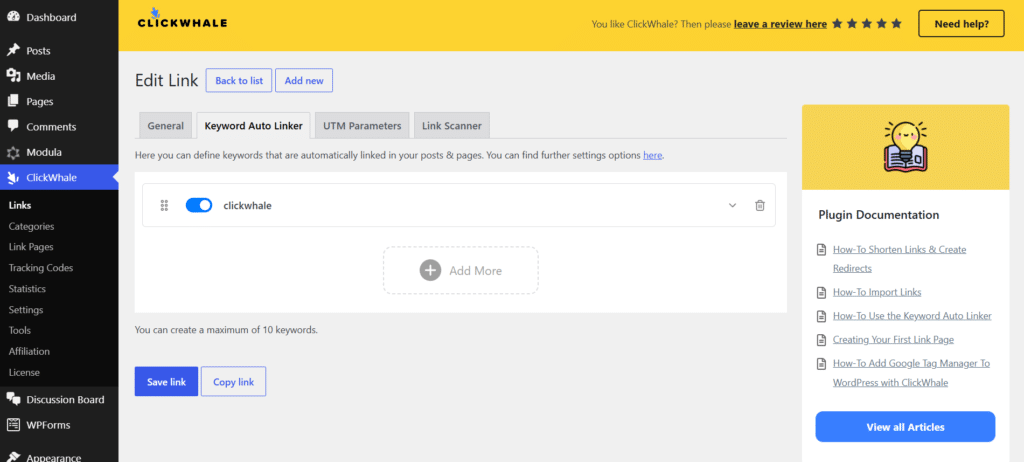
How the Automatic Keyword Linker Works #
The Automatic Keyword Linker automatically converts selected keywords into links when a visitor loads a page on your website.
Instead of permanently inserting links into your post or page content, ClickWhale generates the links during page rendering. As a result, the original content stored in your WordPress database remains unchanged.
If you’re new to this feature or would like to learn how to set it up, please refer to our guide:
👉 How to Use the Keyword Auto Linker:
https://clickwhale.pro/docs/article/how-to-use-the-keyword-auto-linker/
Because the links are generated dynamically on the frontend and are not saved directly in the database, they cannot be detected by the Link Scanner.
How the Link Scanner Works #
The Link Scanner analyzes content that is physically stored in your WordPress database.
When the scanner runs, it searches your saved posts and pages for ClickWhale links and identifies where those links are being used throughout your website.
Because the scanner only analyzes stored content, it cannot detect links that are generated dynamically after the page has loaded.
Understanding the Difference
| Feature | Manually Inserted Link | Auto-Linked Keyword |
|---|---|---|
| Stored in the database | ✅ Yes | ❌ No |
| Visible on the frontend | ✅ Yes | ✅ Yes |
| Detected by Link Scanner | ✅ Yes | ❌ No |
| Works for visitors | ✅ Yes | ✅ Yes |
Example
Example 1: Manually Inserted Link
A manually inserted ClickWhale link is saved directly inside the post content.
Because the link exists in the database, the Link Scanner can detect it and display the post or page where the link is being used.
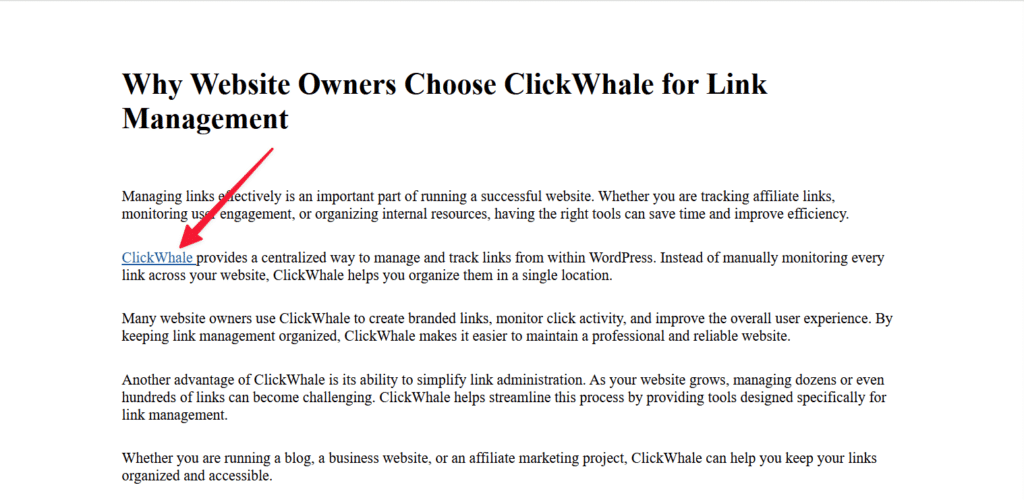
Link inserted directly in the content editor
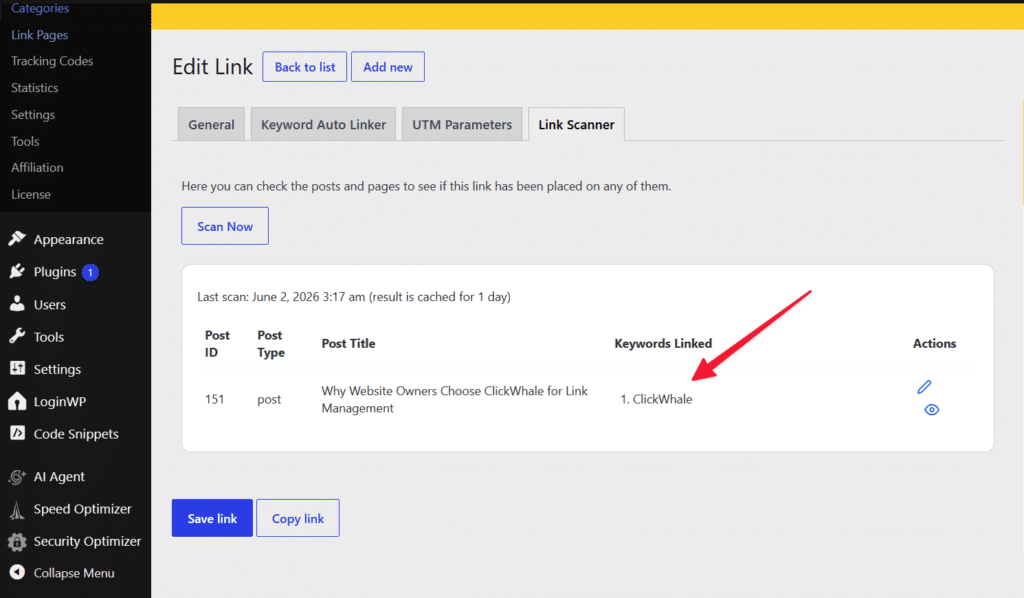
Link Scanner showing the detected post]
Example 2: Automatic Keyword Linker
The same article may contain additional occurrences of the keyword “clickwhale”.
When the page loads, the Automatic Keyword Linker automatically converts those keywords into links on the frontend.
Because these links are generated dynamically and are not stored in the database, the Link Scanner cannot detect them.
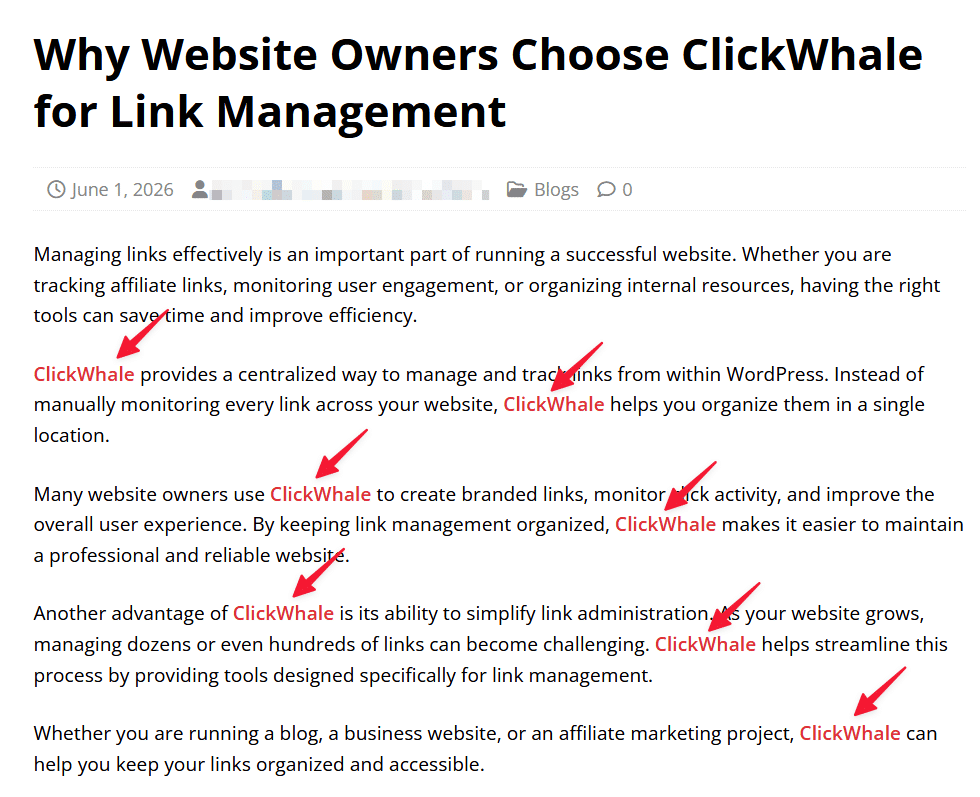
Frontend showing auto-linked keywords
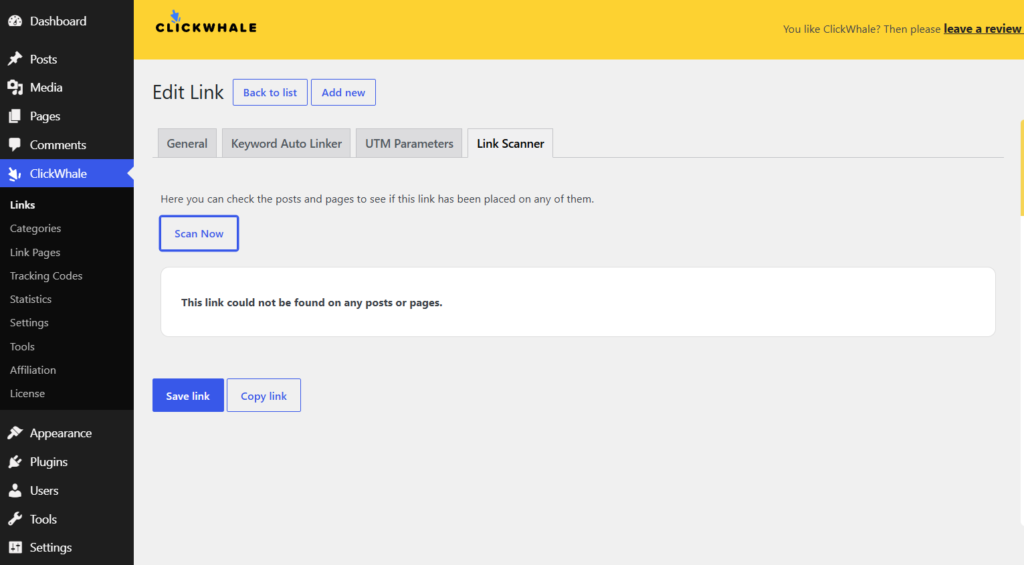
Link Scanner displaying “This link could not be found in any post or page”
Why Doesn’t My Auto-Linked Keyword Appear in Link Scanner? #
The Link Scanner only scans content stored in your WordPress database.
Since links generated by the Automatic Keyword Linker are added dynamically on the frontend, they are outside the scanner’s detection scope and will not appear in the scan results.
FAQs #
Is this caused by a plugin or theme conflict?
No. This is expected behavior based on how the Automatic Keyword Linker and Link Scanner currently work.
Are the auto-links still working?
Yes. The links still appear and function correctly on the frontend, even if they are not detected by the Link Scanner.
Why are manually added links detected?
Manually added links are saved directly inside the post or page content stored in the WordPress database. Because the Link Scanner analyzes saved content, it can detect these links.
Why does the Link Scanner show “This link could not be found in any post or page”?
The Link Scanner only scans content stored in the WordPress database. Since links generated by the Automatic Keyword Linker are added dynamically on the frontend, they do not exist in the saved content and cannot be detected by the scanner.
Does this affect my visitors?
No. Visitors can still see and click auto-linked keywords normally. This behavior only affects how the Link Scanner reports link usage.
Will auto-linked keywords appear in Link Scanner results?
Currently, dynamically generated links created by the Automatic Keyword Linker are outside the scanner’s detection scope and will not appear in scan results unless the link is manually inserted into the content.
How can I make sure a link is detected by the Link Scanner?
Insert the link directly into the post or page content and save the changes. Since the link is stored in the database, the Link Scanner will be able to detect it.


