
As your affiliate marketing campaigns grow, you may need to update multiple Target URLs in ClickWhale at the same time.
This often happens when:
- You switch to a new affiliate network
- An affiliate program changes its tracking parameters
- You need to update outdated destination URLs
- You want to replace tracking IDs across multiple links
Instead of editing each ClickWhale link one by one, you can use the Better Search Replace plugin to update multiple Target URLs in just a few clicks.
Video Tutorial #
Prefer to watch instead? Follow the complete walkthrough below.
Before You Start #
Before making any bulk changes, we recommend:
- Creating a full database backup
- Having administrator access to your WordPress site
- Installing and activating the Better Search Replace plugin
Step 1: Open Better Search Replace #
From your WordPress dashboard, navigate to:
Tools → Better Search Replace
You will see fields for searching and replacing text within your database.
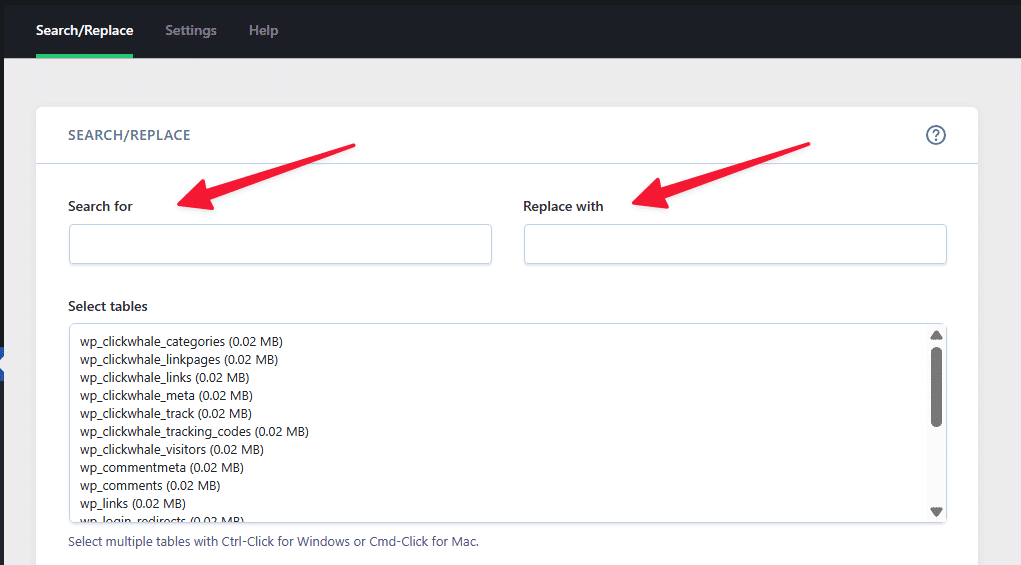
Step 2: Enter the Values to Replace #
In the Search For field, enter the URL or parameter you want to replace.
Example:
?aff_id=922In the Replace With field, enter the new value.
Example:
?aff_code=demo123Next, select the wp_clickwhale_links table.
This ensures that only your ClickWhale links are updated.
Step 3: Run a Dry Run #
Before making any changes, enable the Run as dry run option.
A dry run scans your database and shows how many records would be updated without making any actual changes.
Click Run Search/Replace.
Review the results to confirm that the correct links have been identified.
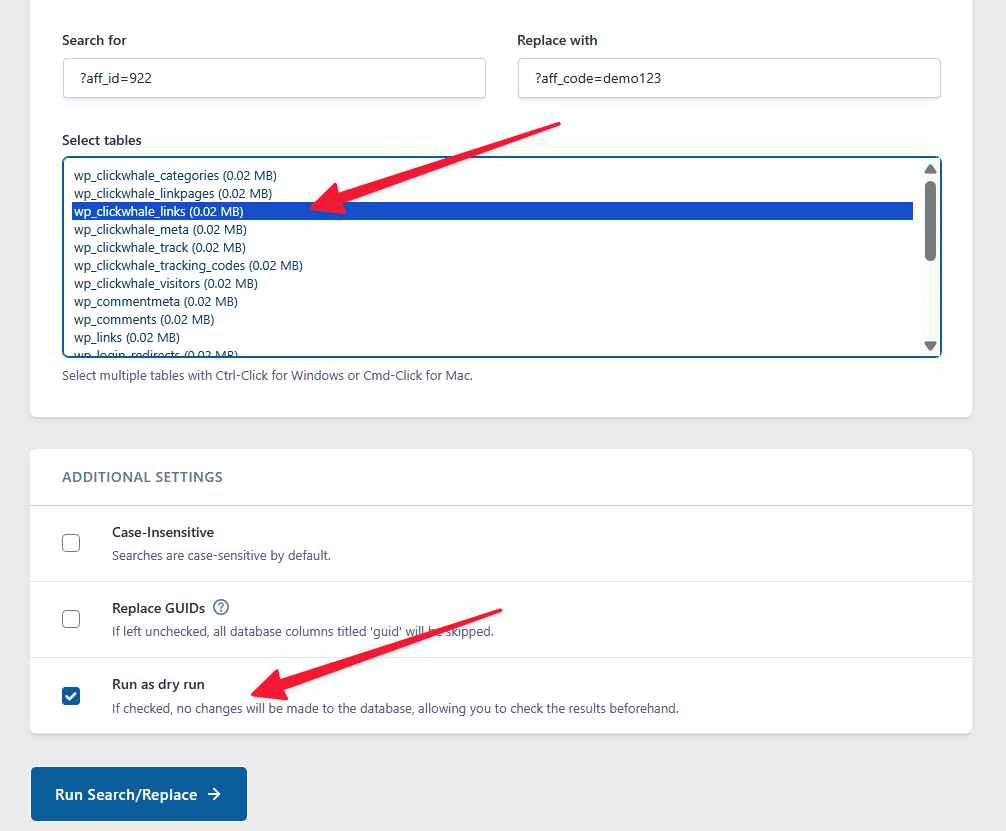
A Dry Run notice will appear. If the dry run appears to have found a cell to be updated, you can disable the “Run as Dry run” to proceed with updating the links.

Step 4: Apply the Changes #
If the dry run results look correct:
- Disable the Run as dry run option.
- Click Run Search/Replace again.
Better Search Replace will update all matching ClickWhale links in the selected table.
Example #
Before #
https://example.com/product?aff_id=922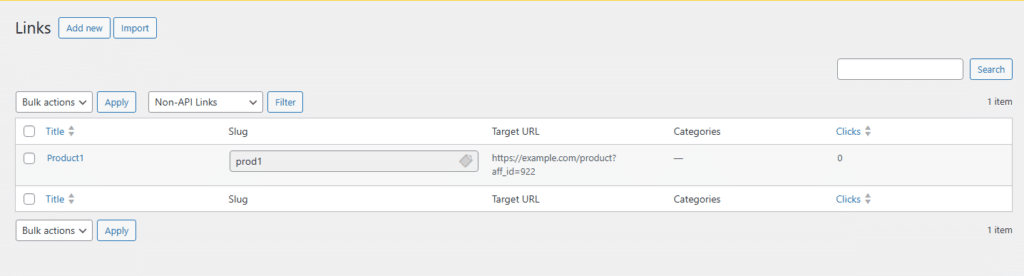
After #
And here’s after updating the Links with Better Search Replace
https://example.com/product?aff_code=demo123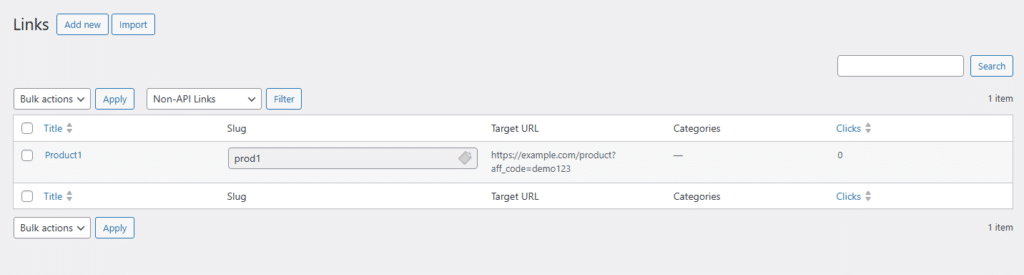
Why Use Better Search Replace? #
Using Better Search Replace allows you to:
- Update multiple ClickWhale Target URLs at once
- Replace affiliate parameters in bulk
- Save time by avoiding manual edits
- Keep your links accurate and up to date
Always perform a dry run before applying changes to verify that the correct links will be updated.
That’s it. Your ClickWhale Target URLs have now been updated in bulk.
FAQS #
Can I bulk update affiliate IDs in ClickWhale? #
Yes. You can use Better Search Replace to replace affiliate IDs, tracking parameters, or destination URLs stored in your ClickWhale links.
Is it safe to use Better Search Replace? #
Yes, but always create a backup and perform a dry run before making changes.
Which database table should I select? #
Select the wp_clickwhale_links table to update ClickWhale Target URLs. If your site uses a custom database prefix, the table name may be different.


