Want to boost your marketing game? Then it’s high time you met the new and improved link builder from ClickWhale! It helps you easily create UTM links, making tracking affiliate campaigns a breeze.
This tool lets you see exactly where your traffic is coming from. No more guessing!
The newest link builder from ClickWhale is exactly what affiliates need to take their tracking efforts to the next level. The interface is simple to use, even if you’re new to affiliate marketing. So, let’s dive in and see how you can start creating UTM links as an affiliate effortlessly today.
The Newest Link Builder From ClickWhale: An Introduction
How can you track your online marketing links more easily? With ClickWhale’s newest Link Builder feature, creating UTM links is now a breeze. You don’t need to be a tech expert to use it. Just a few clicks, and you’ll have powerful, trackable links ready to go.
This tool is perfect for anyone looking to enhance their marketing efforts by adding campaign parameters to URLs without any hassle. Our newest link builder is user-friendly and requires no other settings, making it incredibly simple for you to track your affiliate link campaigns.
With ClickWhale’s latest innovation, you can now see exactly where your traffic is coming from and optimize your strategies effectively. Say goodbye to the guesswork and hello to precision with ClickWhale’s newest link builder.
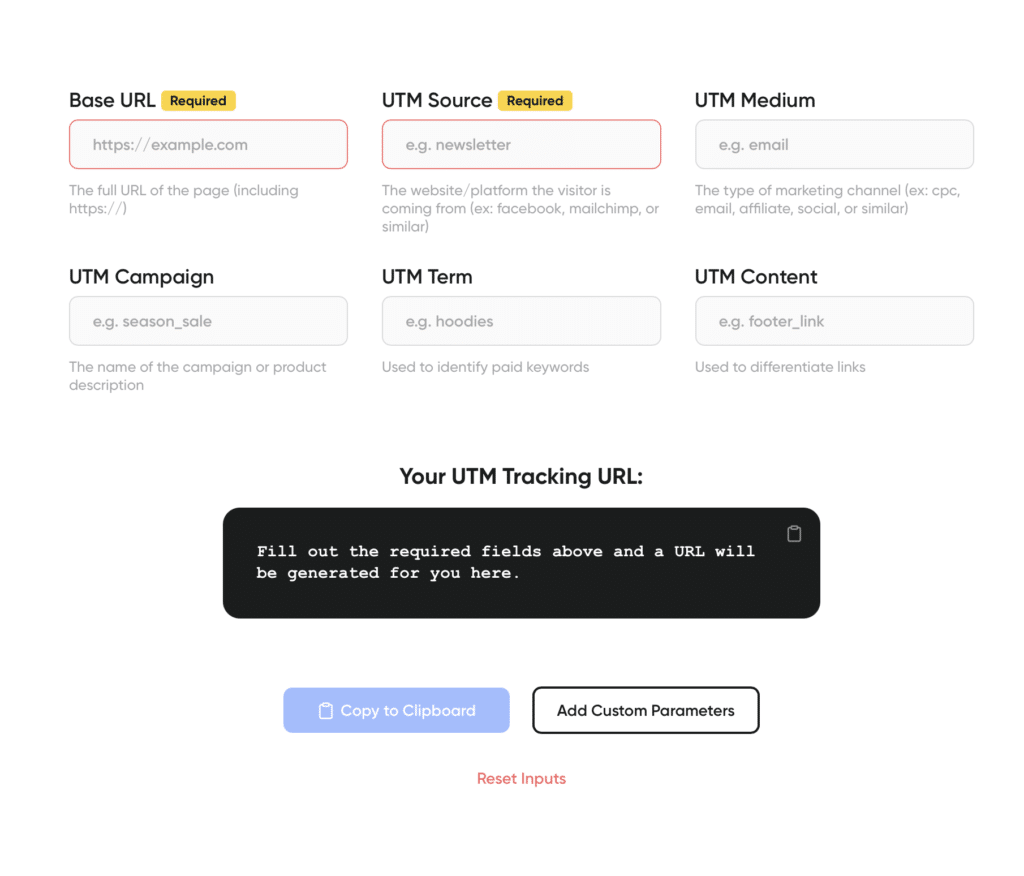
How To Easily Create UTM Links in ClickWhale
As the premier WordPress link manager designed to streamline your marketing efforts, our latest feature allows you to effortlessly add campaign parameters to URLs, making it easier than ever to track and analyze your affiliate marketing campaigns.
In this section, we’ll walk you through the simple steps to create UTM links using ClickWhale, ensuring you get the most out of your data and optimize your strategies for success.
Say goodbye to manual URL tagging and hello to efficient, automated campaign tracking because each link created with ClickWhale now includes the option for adding UTM parameters.
Did we mention how simple it is to use? Check out these five easy steps to begin using the UTM links feature in the upgraded interface.
Once you have downloaded and activated the plugin via your WordPress dashboard:
- Navigate to CLICKWHALE on the left-side navigation toolbar.
- Click LINKS
- Toggle to the second tab that says UTM PARAMETERS.
- Enter the UTM campaign name, medium, source, term, and content accordingly.
- Click the button action button to SAVE LINK.
Your screen without any details added will look similar to the one below.
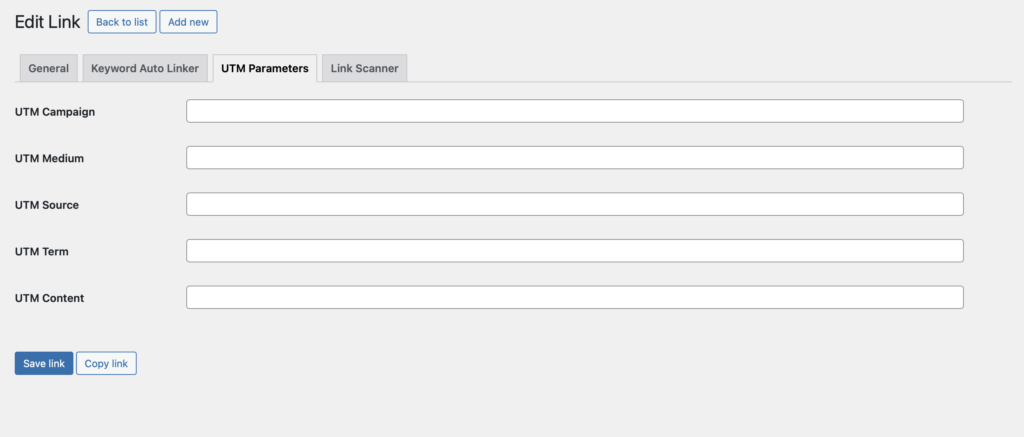
These UTM parameters are masked and are first displayed in the browser when the link is called up. This feature ensures that your links look short and professional despite having many UTM parameters assigned to them.
If you need a crash course on UTM tracking and code, keep reading.
What Is UTM Tracking & Code?
UTM tracking is like putting name tags on your website links. When you share these links, you can see exactly where visitors are coming from. For example, if you post a link on Facebook, the UTM tracking tells you how many people clicked that link.
In affiliate marketing, this is super important because it helps you know which ads or posts are working best. By seeing what brings in the most visitors, you can focus on the strategies that make you the most money. It’s like having a map that shows you the best paths to success!
Using the newest link builder from ClickWhale, in addition to its other link tracking features, you can easily create UTM links that include precise tracking codes. Using ClickWhale’s tool, adding these UTM parameters to your URLs is a breeze, assuring your data is accurate and actionable.
What are UTM Parameters?
UTM parameters are special tags added to a URL to help track where your website traffic is coming from. Think of them as little bits of code that tell you a lot about your visitors. UTM stands for Urchin Tracking Module. These parameters help you see if your visitors came from a specific email, social media post, or online ad.
There are five main UTM parameters:
- Source (where the traffic came from)
- Medium (the type of link, like email or social media)
- Campaign (the name of your marketing effort)
- Term (keywords for paid searches)
- Content (to tell apart similar links).
Here’s how they work: When you add UTM parameters to a URL, data is collected when someone clicks that specific link. The data then shows up in tools like Google Analytics further helping you understand which marketing efforts work best.
Why Are They Important For Affiliate Links?
As noted above, UTM parameters are important for affiliate links because they help track where your traffic is coming from. When you add these special tags to your affiliate links, you can see which sources are driving visitors to your site. This is super important for knowing which affiliate links are performing best.
Here’s why they matter: UTM parameters collect data when someone clicks on an affiliate link. This data shows up in analytics tools like Google Analytics. With this information, you can see which affiliates are generating the most traffic and sales.
By using UTM parameters, you can optimize your affiliate marketing strategy, rewarding the links that drive valuable web traffic your way.
UTM Best Practices for Affiliates
When it comes to maximizing affiliate marketing success through link management tools, following UTM best practices is key. First, ensure consistency in naming conventions across your UTM parameters to maintain clarity in your data. Second, use descriptive campaign names that specify the promotion or event clearly. Lastly, track different traffic sources separately by creating unique UTM links for each platform or channel.
These practices empower you to analyze and optimize your marketing efforts effectively. Let’s break these down in detail.
- Be Consistent with naming conventions: Use clear and consistent names for your UTM parameters. For example, always use “Facebook” for your source when creating links for Facebook. This helps keep your data clean and easy to analyze.
- Use descriptive campaign names: Make your campaign names descriptive so you know exactly what the campaign was about when looking at your reports. For instance, instead of just “summer,” use “summer_sale_2024” to specify the campaign and time frame.
- Track different sources separately: Create unique UTM links for each platform or channel you use. This way, you can see which platforms are driving the most traffic and conversions. For example, use separate UTM links for Facebook, Instagram, and email newsletters to track their individual performance.
By implementing these UTM best practices, affiliate marketers can refine their strategies and gain valuable insights into campaign performance. Next, let’s dive into how you can effortlessly apply UTM parameters to your links using effective link management techniques.
The Benefits of Applying UTM Parameters to Your Link Management
Applying UTM parameters to your links is easy and essential for effective link management. With the new link builder tool from ClickWhale, managing your links has never been simpler!
Using the newest link builder from ClickWhale, you can effortlessly add UTM parameters to your links. Just enter the URL and fill in the UTM details. The tool automatically creates a tagged link for you. This makes it super easy to track your links in analytics tools like Google Analytics.
With the help of UTM builder tools like ClickWhale, you can manage all your links in one place, ensuring optimization for effective link tracking. This helps you make smarter marketing decisions and boosts your campaign effectiveness.
Take the guesswork out of your marketing efforts and start leveraging UTM tracking today with ClickWhale’s latest link builder! So you can causally say goodbye to manual link tagging and hello to seamless link management.