
LinkedIn is a goldmine for affiliate marketers in today’s hyper-connected digital world. It’s not just a social networking site; it’s a platform where you can build credibility, forge partnerships, and drive meaningful engagement. One underutilized yet powerful tool is the LinkedIn custom URL.
Let us explore how optimizing your profile with a LinkedIn custom URL can boost your affiliate marketing efforts. From how to set it up to why it matters, we’ll cover everything you need to know to make the most of this simple but effective feature.
Importance of a Personalized LinkedIn URL ☝️
With the increase in affiliates online, successful affiliate marketers are constantly looking for ways to stand out. A LinkedIn custom URL is a simple upgrade that can significantly impact their online presence.
This is because default LinkedIn URLs often contain random characters that look unprofessional. A personalized LinkedIn custom URL cleans up your profile and shows you’ve taken the time to refine your online identity. This small change can:
- Improve how others perceive your professionalism.
- Make it easier for people to remember and find you.
- Build trust among clients and affiliate partners.
Steps to Create a LinkedIn Custom URL 🔗
Creating a LinkedIn custom URL is quick and straightforward, but it can make a world of difference for your personal branding and affiliate marketing efforts. A custom URL makes your LinkedIn profile more professional and easier to share, enhancing your credibility. This small adjustment improves your online presence and signals attention to detail, a critical trait in professional networking. Optimizing your LinkedIn custom URL is a must for anyone serious about maximizing their online influence.
Here’s how you can set it up:
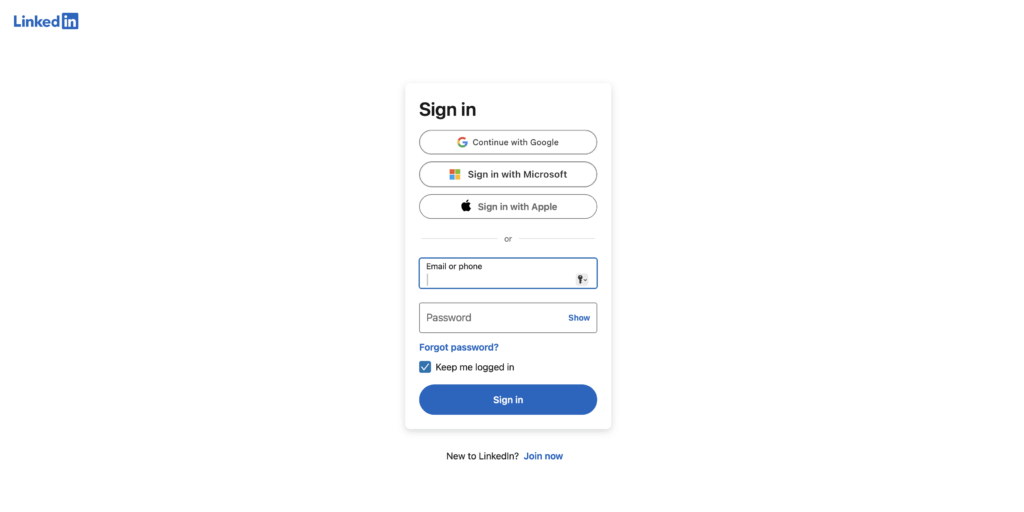
1. Log in to Your LinkedIn Account
Head to your profile page by clicking your name or photo at the top of the LinkedIn homepage.
2. Access Your Public Profile Settings
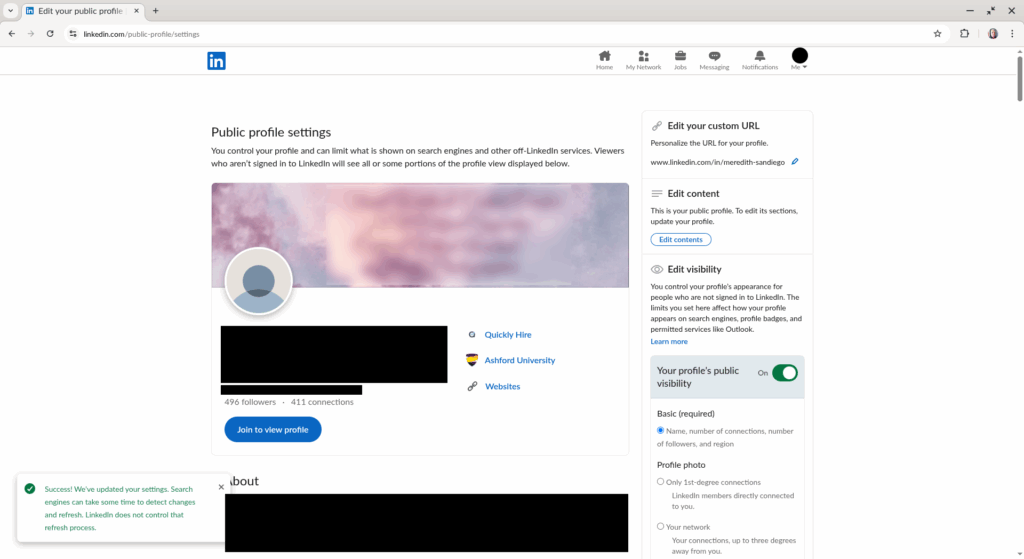
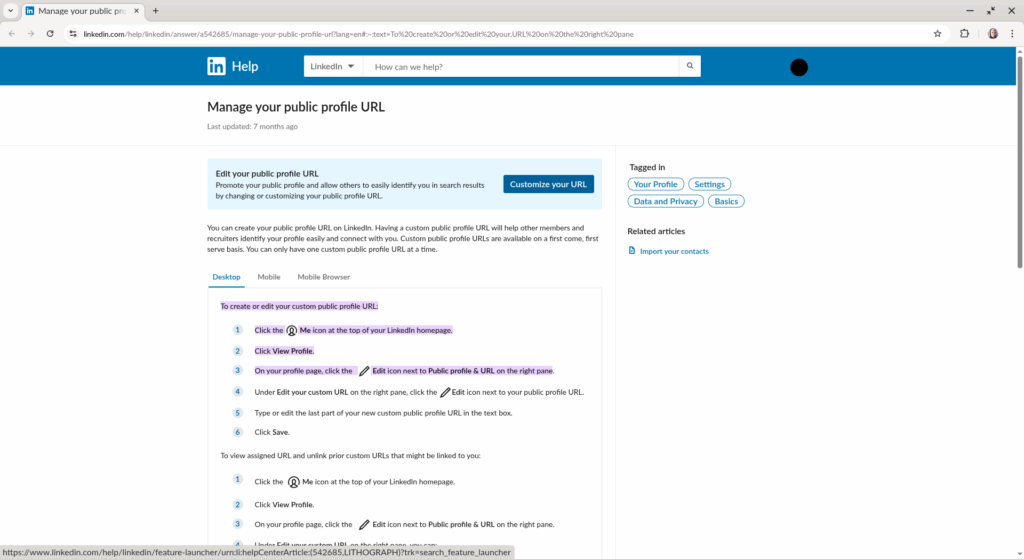
On the right-hand side of your profile, look for the option labeled “Edit public profile & URL” and click on it.
3. Customize Your URL
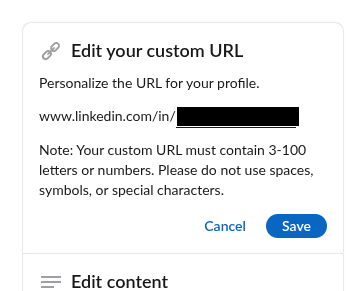
Under “Edit your custom URL,” you’ll see a pencil icon. Click it and enter your desired LinkedIn custom URL. Use your name or a professional variation that aligns with your branding.
4. Save and Share
Once satisfied, save your changes. Your new LinkedIn custom URL is now ready for sharing across your affiliate marketing channels!
By customizing your LinkedIn URL to reflect your name or brand, you create a memorable link that stands out, making it simpler for potential clients, employers, or affiliates to find you.
Enhancing Your Profile with a LinkedIn Custom URL ⬆
By customizing your LinkedIn URL, you create a cleaner, more memorable link to share on resumes, business cards, or email signatures. A personalized URL reflects your brand, making it easier for recruiters and connections to find you. This change improves searchability and enhances your credibility by showing attention to detail. It’s a small tweak with big professional benefits!
A LinkedIn custom URL enhances your profile in more ways than one:
Professional Appearance
When you share your profile with a sleek, custom URL, it communicates professionalism and polish—qualities that are essential in affiliate marketing.
Improved Searchability
Search engines prioritize keywords, and a LinkedIn custom URL containing your name or brand helps your profile rank higher in search results.
Easier Networking
Affiliate marketing is all about building connections. A custom URL makes your profile more accessible to potential collaborators, clients, and partners.
Enhancing your profile with a LinkedIn custom URL is a simple yet powerful way to boost your professional presence online. Using tools like our plugin, ClickWhale, you can even track how many people engage with the link, helping you refine your strategies.
Benefits of Having a LinkedIn Custom URL ⭐️
Personalizing your LinkedIn profile URL makes it easier for employers, clients, or recruiters to find you. It looks cleaner on resumes, business cards, and email signatures while enhancing your profile’s searchability on Google and other search engines. What’s more, it reflects professionalism and shows attention to detail – qualities employers often value. Why not stand out with a LinkedIn custom URL and reinforce your brand?
Let’s explore the specific advantages of having a LinkedIn custom URL for affiliate marketers:
Enhanced Branding
A custom URL reinforces your personal or business brand, creating a consistent image across your marketing platforms.
Trustworthiness
In affiliate marketing, trust is crucial. A polished profile with a LinkedIn custom URL sends a clear signal that you’re a serious professional.
Consistency Across Platforms
Using the same custom handle across platforms makes it easier for people to find and remember you, strengthening your online identity.
Increased Click-Through Rates
A clean, memorable URL encourages people to click, especially when shared on websites, emails, or social media.
Measurable Impact
Pair your LinkedIn custom URL with a link management tool like ClickWhale to monitor clicks and understand how your audience interacts with your profile.
Tips for Choosing the Perfect LinkedIn Custom URL 💡
Selecting the right LinkedIn custom URL is an important step in optimizing your profile. Ideally, it should include your full brand name or a variation that reflects your professional identity, ensuring consistency across platforms. Avoid using numbers or special characters unless absolutely necessary, as they can make your URL look cluttered and harder to remember. Taking the time to craft a clean, personalized LinkedIn custom URL helps enhance your profile’s visibility and credibility.
Here’s how to make the best choice:
- Keep It Simple and Professional
Stick to your full name or a professional variation. For example, “JohnDoeAffiliate” works better than “John1234.”
- Reflect Your Brand
Incorporate your niche if applicable, such as “JaneSmithMarketing” or “MikeTechAffiliate.”
- Avoid Unnecessary Characters
Steer clear of numbers, symbols, or abbreviations that could confuse your audience.
- Align with Other Platforms
Use the same handle across platforms to reinforce your branding. This consistency boosts recognition and credibility.
Personal Branding with a LinkedIn Custom URL 👩🔧
Your LinkedIn custom URL is a seemingly minor detail, but it can make a significant impact on your personal branding strategy. Taking the time to customize your LinkedIn URL boosts your credibility, helping you stand out in the competitive professional landscape.
Here’s how it ties into the bigger picture for affiliate marketers:
Establish Expertise
Affiliate marketing is a crowded space, and standing out requires effort. A personalized LinkedIn custom URL positions you as a serious professional.
Build Recognition
When your URL aligns with your brand, it makes you more recognizable and memorable to your audience.
Drive Campaign Success
Sharing your custom URL on platforms like ClickWhale ensures potential clients and collaborators can easily access your profile, driving engagement and conversions.
Instead of a long, random string of numbers and letters, a LinkedIn custom URL reinforces your name or brand identity.
Optimize Your LinkedIn Custom URL with ClickWhale 🐳
Taking advantage of a LinkedIn custom URL is just the beginning. When paired with ClickWhale, the ultimate link management tool, you can maximize its potential. It allows affiliates to track clicks, analyze performance, and manage all your links seamlessly, ensuring your LinkedIn custom URL works smarter for you. Together, these tools help you elevate your personal branding strategy, drive engagement, and stand out in the competitive digital networking landscape.
Track Link Performance
ClickWhale helps you monitor how many people are clicking on your LinkedIn custom URL, giving you valuable insights into your audience.
Manage Multiple Links
As an affiliate marketer, you’re likely juggling several campaigns. ClickWhale allows you to organize and track all your links in one place.
Refine Your Strategy
With data-driven insights from ClickWhale, you can optimize how and where you share your LinkedIn custom URL to achieve better results.
Conclusion 👇
A LinkedIn custom URL is an easy-to-implement feature that can significantly enhance your affiliate marketing efforts. Improving your profile’s professionalism, searchability, and accessibility, helps you build stronger connections and establish credibility in your industry.
Pair your custom URL with a tool like ClickWhale to unlock even more potential. From tracking clicks to refining campaigns, this link management tool empowers affiliate marketers to make smarter, data-driven decisions.
Start today by creating your LinkedIn custom URL and experience the difference it can make in your affiliate marketing journey. With LinkedIn and ClickWhale on your side, the possibilities are endless!